My safety
Reading: 2 min · 4 steps
After each flight, FlyBuddy asks if everything is fine. Your friends see your answer.
🚨 FlyBuddy does not call emergency services. In an emergency, call 112.
1. Answer « Landed safely? »
After you land, the bot asks « Landed safely? ». Tap « ✅ Landed safely » if all is fine, « 🆘 SOS » if you need help.
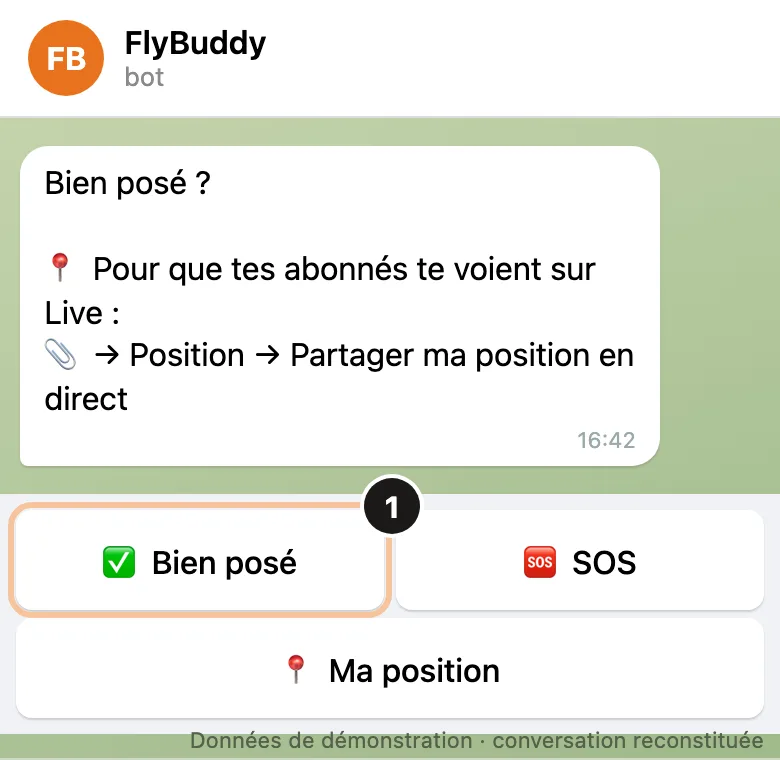
To get it, turn on « Unconfirmed landing » (step 3). SOS asks you to confirm. 2. Your friends see your answer
They get « 🟢 … landed safely ». With SOS, they are told at once, with your position.
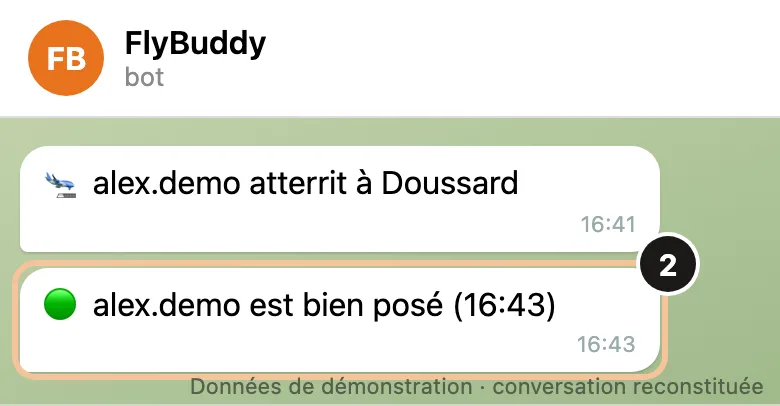
In the Live, a 🟢 (OK) or 🔴 (SOS) dot shows next to your name. 3. Choose your delay
Profile › Landing alerts: turn on « Unconfirmed landing », then choose 5, 7, 15 or 30 min. Without an answer, your friends are told.
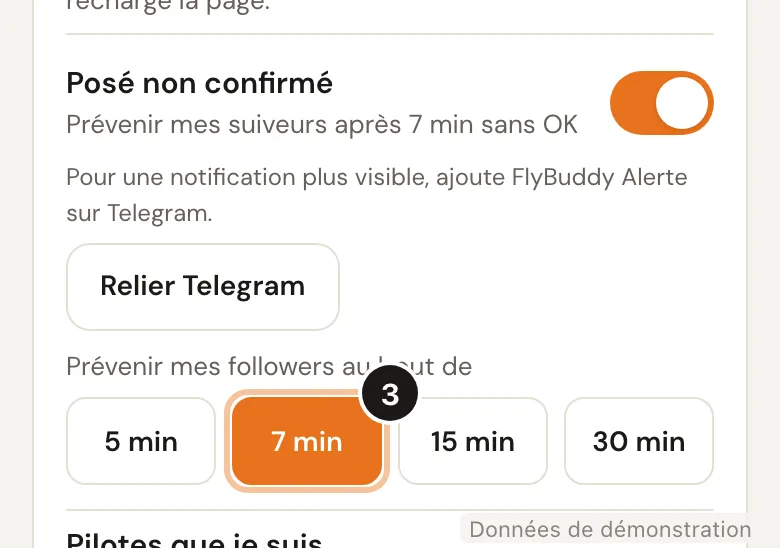
Off: nobody is told if you do not answer. 4. Turn on the alerts bot
Right below, tap « Open FlyBuddy Alerte ». This 2nd bot only sends what matters. Keep its sound on.
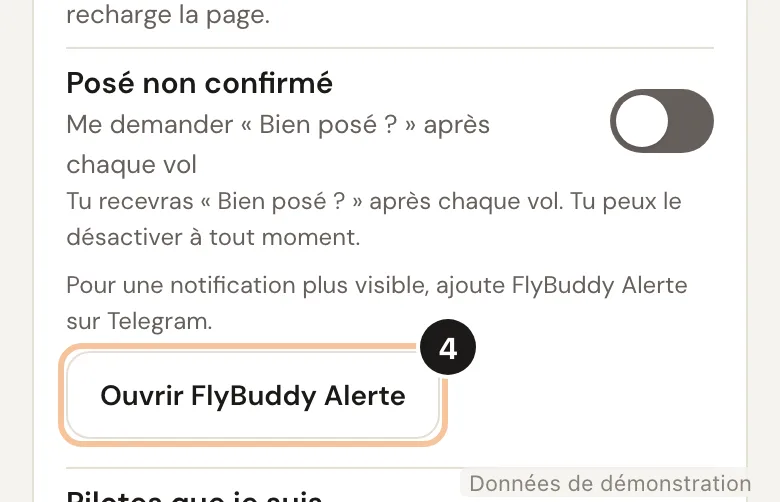
You need a linked Telegram account. Or: Profile › Telegram alerts › « Turn on ».
Good to know
No network at landing? Send /ok to the bot as soon as you get signal. /sos works too.
For each pilot you follow, the bell 🔔 / 🔕 in Profile › Landing alerts says whether you are told when they do not answer.